Homework help app for kids, K–12

The homework help app kids actually use.

GradeBuff turns real schoolwork into a game your family plays together. Kids earn XP for homework, focused study and practice quizzes for their own classes. You approve every point, and it turns into levels, rewards you choose, and cash to build their own city.

Free to start. No ads. No chat. Get the iPhone or Android app, or use it in the browser on any phone, tablet or computer.

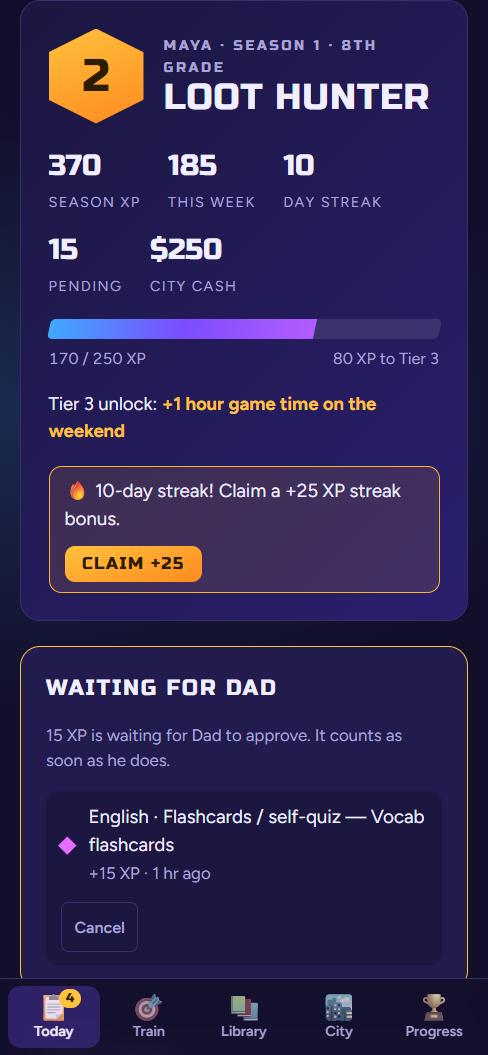
A player's home screen showing level 2, 370 XP, a 10-day streak and $250 of city cash
What parents look for

Homework help that works for your family

Most parents want the same few things from a homework app. Here's how GradeBuff handles each one.

To know what's going on

A homework list with due dates (it can read a school calendar link), and every XP claim comes to you first.

No more homework fights

Kids earn XP for homework, study sprints, practice quizzes and reading, so the work is how they win.

Practice that fits their class

Practice rounds for each class at their grade, with an explanation after every answer, and no repeat questions until they've seen them all.

Less phone, more focus

A focus timer rewards phone-free study time, so the phone stops winning the fight for their attention.

Rewards you control

You pick the rewards, like screen time, a treat or a trip. Nothing counts until you approve it.

Safe for kids

No ads, no trackers, no chatting with anyone and no AI chat. Kids don't need an email address.

How it works

Study, claim, approve, level up

Do the work

Homework, a focused study sprint, practice quizzes, flashcards or reading a book.

Claim XP

Your kid taps what they did. It goes to you as a claim, not straight onto the scoreboard.

You approve

Approve or send it back with a reason. Nothing counts until a parent says yes.

They level up

XP unlocks levels, rewards you choose, and cash to build and grow their own city.

A look inside

What your kid sees, and what you see

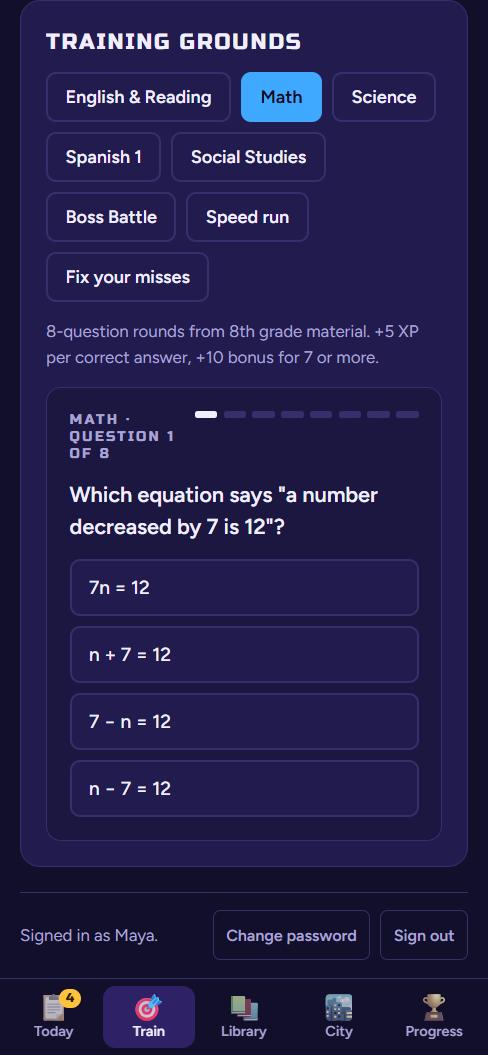
An 8th grade math practice question with four answers
Practice for their classesQuick quiz rounds at their grade level, with an explanation after every answer.
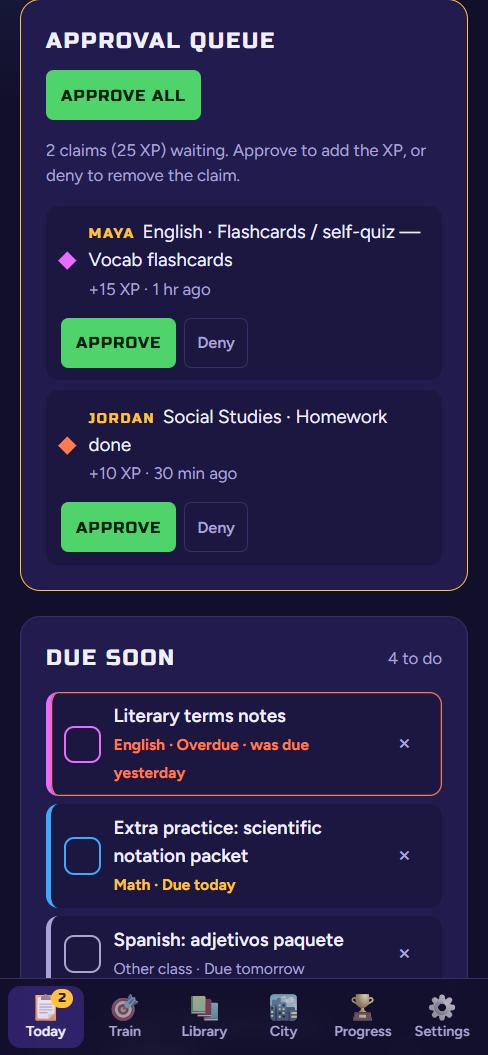
A parent's approval queue with two claims to approve or deny
You stay in chargeEvery claim waits for a parent. Approve all with one tap, or deny with a reason.
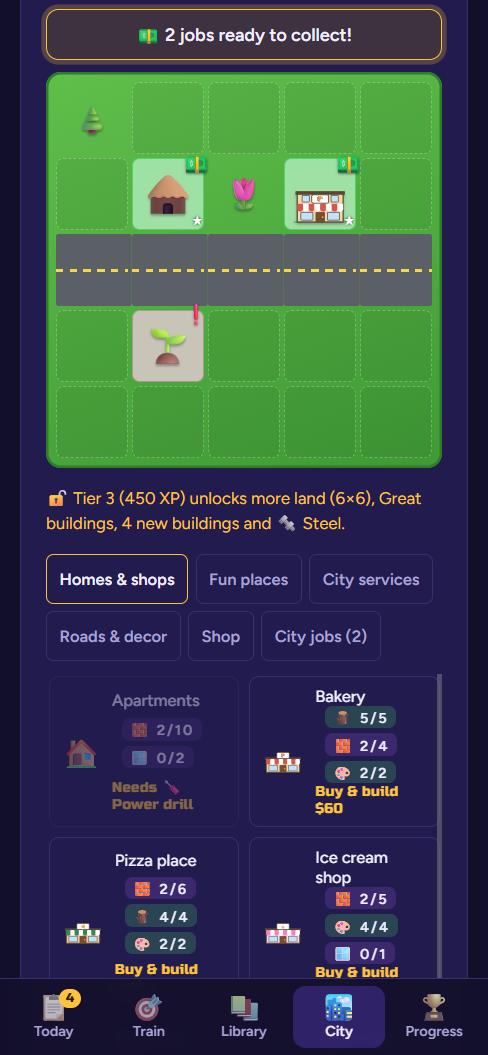
A small city with a house, a bakery, a road and a sprouting park
A city to buildStudy earns cash for materials, tools and buildings. Bigger cities need more studying.
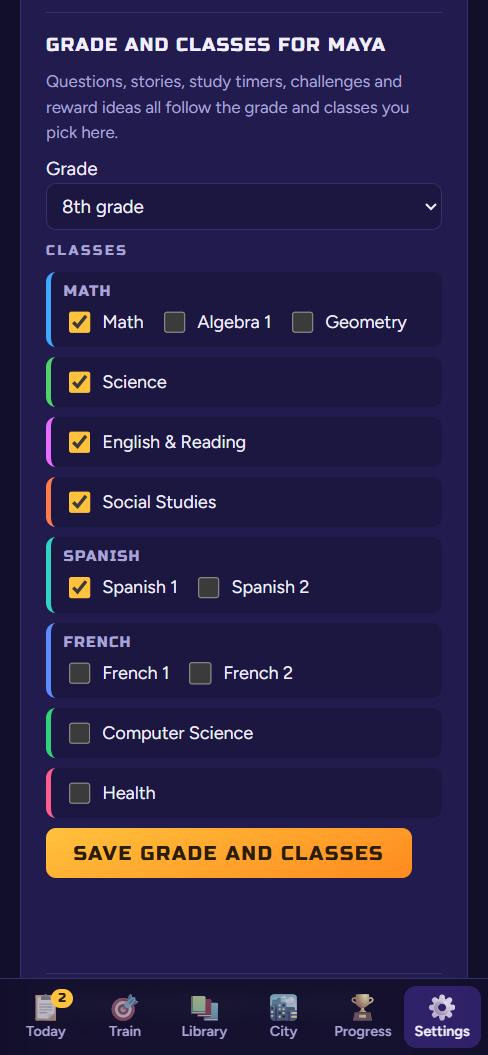
A parent's settings screen for picking grade and classes
Set up for their gradePick the grade and classes. Questions, timers and rewards adjust to match.
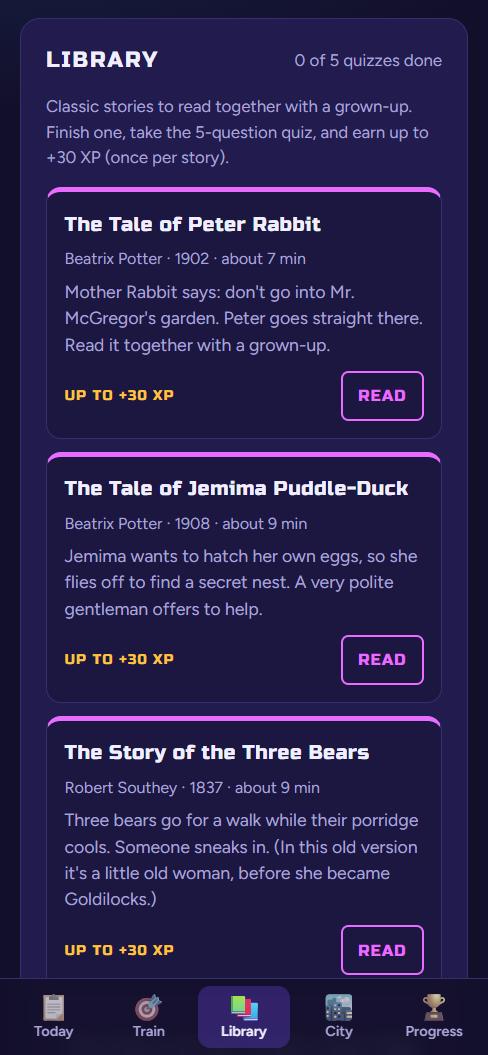
A library shelf for young readers with Peter Rabbit and other classic stories
Stories to readClassic stories for every age, each with a short quiz. Little ones read with a grown-up.
A player's home screen with streak bonus and the next reward
Streaks and real rewardsThey always know the next reward, and showing up every day earns a bonus.
Every grade, K through 12

Made for your kid's grade and classes

When you add a child, you pick their grade and their classes. High schoolers pick real courses, like Algebra 1, Biology, English 10 or US History. Electives include Spanish, French, Computer Science and Health.

K–2

Short 5-question rounds, 5–15 minute study timers, read-aloud classics like Peter Rabbit, and little-kid rewards.

3–5

Longer rounds, 10–25 minute timers, Kipling's Just So Stories and The Velveteen Rabbit.

6–8

8-question rounds, longer focus sprints, and short stories by Poe, O. Henry and Jack London.

High school

Practice for each course they take, 25–60 minute sprints, and rewards teens actually want.

Why it exists

Built by a dad, for his son

My son's grades were slipping, and his phone was winning the fight for his attention. Lectures didn't help. So I built him a game where the only way to level up is to do the schoolwork: every bit of effort shows up as progress he can see, and I approve every point.

Safe by design

Made for kids, run by parents

Questions parents ask

Homework app FAQ

Is GradeBuff free?

Yes, GradeBuff is free to start, and there are no ads.

What grades and subjects does it cover?

Every grade from kindergarten through 12th. You pick your child's grade and classes, and high schoolers pick real courses like Algebra 1, Biology, English 10 or US History, plus electives like Spanish, French, Computer Science and Health.

How does it help with homework?

Kids keep a homework list with due dates (it can read a school calendar link), practice for each class with an explanation after every answer, and use a focus timer for phone-free study. Each piece of work earns XP once you approve it.

Can I use it with more than one child?

Yes. You add each child with their own grade and classes, and all of their claims land in one approval queue. You can also invite a second parent.

Is it safe for my kids?

There are no ads, no analytics or trackers, and no way to chat with anyone or talk to an AI. Children never need an email address, and a parent can see, change or delete everything.

What devices does it work on?

GradeBuff runs in the web browser on phones, tablets and computers. Open gradebuff.com and sign in.

Get started

Set up your family in a few minutes

Go to gradebuff.com, tap "I'm a parent", then "Create a parent account". Add each child with their grade and classes, and they can start earning XP the same day. Want to look around first? The demo runs on a made-up sample family.